A client books at 2:10. On the calendar, the card sits in the 2:00 row, and at a glance it looks like a 2:00 appointment. A therapist walks out to greet the client ten minutes early, or the front desk tells a walk-in that 2:00 to 2:10 is taken. In Kuee 4.49 every card that does not start on a quarter hour carries its real start time, so nobody has to open it to check.
This release also stops clients from rescheduling online a booking that is already paid, adds an owner tutorial for signing up for Fiserv payments, and fixes a few things clients could run into on your booking pages.
Exact start times on calendar cards
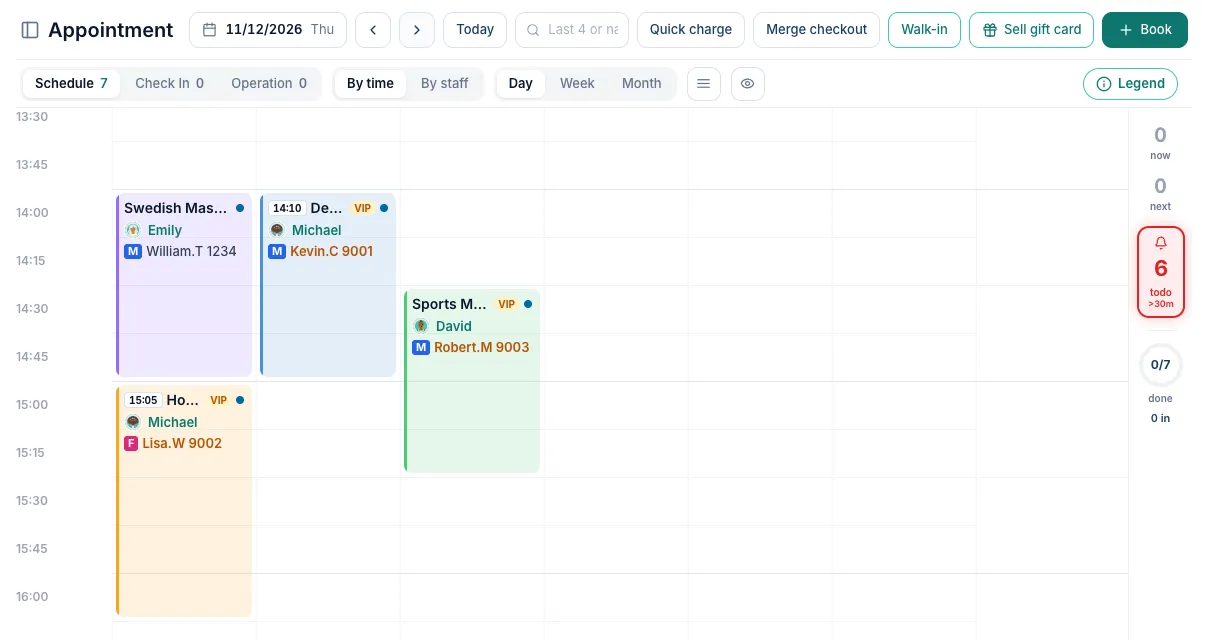
The Appointment calendar draws every card on a 15-minute grid. That keeps the board tidy, but a booking at 2:10 or 3:05 looks just like one at 2:00 or 3:00. Now, when a booking starts at any other minute, the card shows a small time tag before the service name, for example 14:10.
How it works
- The tag appears only when the start time is not on :00, :15, :30 or :45. Cards that start on a quarter hour look exactly as before.
- The card keeps its place and size on the grid; only the tag is new.
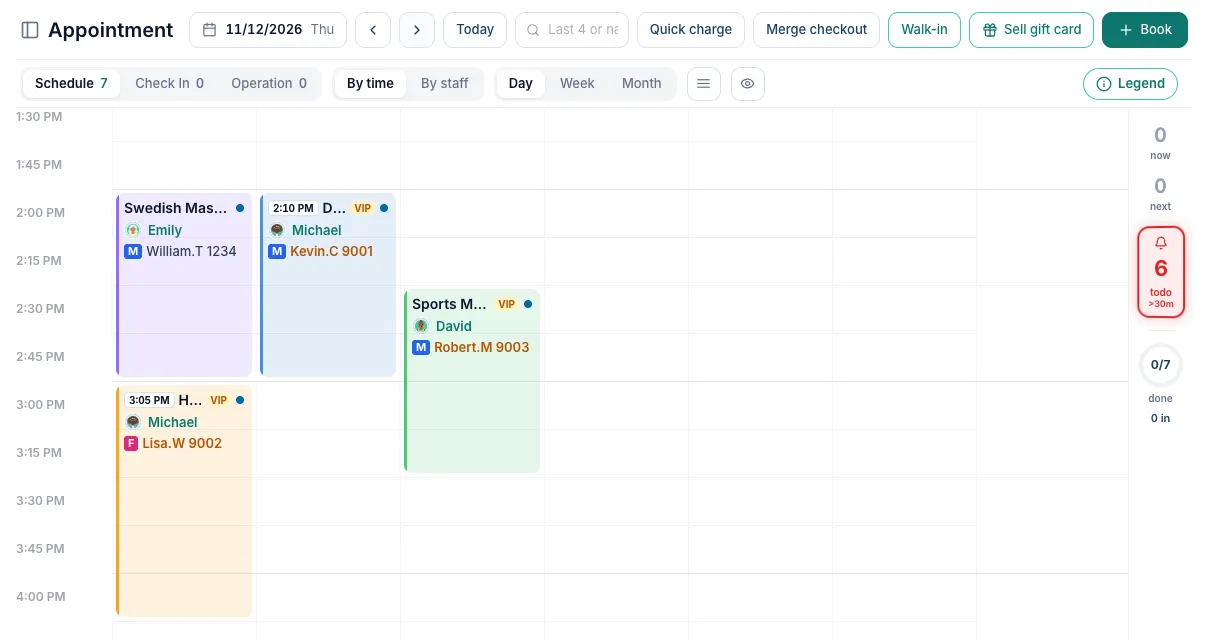
- The time is in your store's time zone and follows your store's Time display setting, so it reads 14:10 on a 24-hour store and 2:10 PM on a 12-hour store.
- There is nothing to turn on. Every store gets it.
Choosing 12-hour or 24-hour time
The tag uses the same format as the rest of the back office. To change it, open System Settings → Basic Settings → Store Settings and pick 12-hour, 24-hour or Keep as is under Time display.
Moving a card no longer rounds its time
Before, if you dragged a 2:10 card sideways to another column in the same row, Kuee offered to move it to 2:00. Now, when you drop a card in the same 15-minute row it came from, it keeps its real start time. Drag it to a different row and it snaps to that row's time, as before.
Getting the most out of it
- Use exact times when a client really needs them, for example a 2:10 slot that fits after a 70-minute session. The tag makes those bookings easy to spot.
- Look for tags before the day starts: they show which clients arrive a few minutes after the hour, so nobody greets them early or gives their time away.
Smaller improvements
- Online rescheduling stops for paid bookings. Clients can reschedule their own bookings from your online booking page. If a booking already has a payment or a card hold from check-in, its reschedule button is now greyed out, and the page tells the client that the store has to reschedule it and asks them to contact you. Before, the client could move it and the payment did not follow the new booking. Cancelling online still works as your cancellation rules allow, bookings without a payment move as before, and your staff can always reschedule on the Appointment page.
- New tutorial for owners: Sign up for Fiserv payments. The Help Center has a short animated tutorial in the For owners group. It shows each step after Kuee sends your CardPointe application: open the email, create your account, check the details we filled in, sign with your full name, and what happens after you submit.
- Security improvements.
Fixes you may notice
- Clients who signed in with a phone number saw no appointments, packages or member status on their profile page. They now see their own bookings, packages and member status again.
- Buy this card at the front desk on stores with a custom website and a dark home page showed dark text on a dark background. The text is now easy to read on every site theme.
Questions about this update
Tell us what works for your store and what does not: contact us and we will walk you through any of these changes on your own store.